
Archive for the ‘How-To’ Category:
How to Setup a Foolproof Proxy for Anonymous Browsing

All of my years of experience with proxies doesn’t much help those who want the benefits of a proxy, yet don’t have the technical wherewithal to accomplish it. As such, I set out in search of a sure thing, a foolproof proxy that anyone could use with minimal setup. I was surprised to find Vidalia.
Vidalia has proven by far the simplest (free) proxy solution. By GUI-ing Tor & combining a Torbutton for Firefox, it couldn’t be simpler. Here’s how to anonymize your Internet activity in just a few minutes.
Information Management Using VUE (mindmapping software)

Some of my job functions require a large volume of record gathering for several cases simultaneously. At first, I was dealing with this task by using a Word or WordPerfect text document (“record disposition log”) with tables indicating the name of the location and what had transpired between my phone calls/faxes to them and their responses to me. Sometimes I contact 10 to 20 different places in one day and unfortunately must leave an innumerable number of voicemails; when people start returning my calls, I would often have difficulty locating their entry on my text documents or even knowing which case they were calling about — quickly. The text documents would soon begin to look like a real mess, and there was no quick way to link scanned information to a particular table without using some cumbersome feature like Link Object in Microsoft Word.
One day, after fumbling through a series of notepads and text documents trying to locate a phone number, it occurred to me that there had to be a better way to manage large volumes of interconnected information. What I needed was a surface, a canvas that would enable me to map out the process of gathering and collecting information as well as being able to keep a detailed catalog of notes for each area of interest. I tested a wide variety of software; ConceptDraw, NovaMind, Pimki, FreeMind, Compendium and a whole bunch of others.
How To Build A Computer
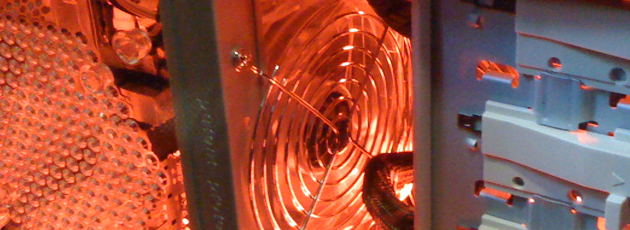
In this article, I am going to quickly walk you through the process of assembling a relatively basic computer system.
Here’s a quick checklist of what to remember when purchasing computer parts:
– How many watts does your power supply (PSU) need to have as a minimum? Use a Power Supply Calculator.
– When choosing a case, make sure it isn’t too small for your configuration. For example, if you’re building a system with 2x GTX285’s in SLI and five hard drives, you might want to avoid a mid-size tower and go for a full otherwise you’ll be really cramped in there with hardly any room to work and risk the likely possibility of overheating your system.
PC ER: Recovering a Corrupted Partition with GetDataBack (Review)
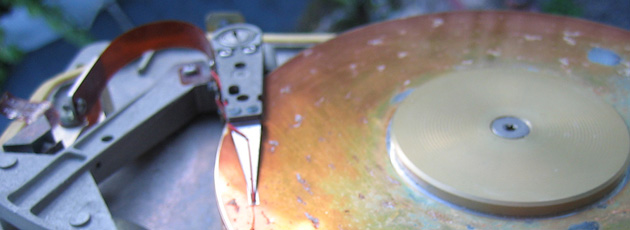
Imagine you’re trying to merge two partitions together using a utility like GParted from a live CD and everything is humming along nicely until the power gets cut. Once the power permanently interrupted the merge, Windows would no longer boot, and all of the important data on the drive was inaccessible. At the time I was performing this recovery, I was short on time and had to relocate. I had a quick flash of what had to occur in order to be able to recover every last bit of data from the laptop. I would need an SATA/IDE to USB adapter; a screwdriver; a few bootable CDs (such as Acronis Disk Director bootable disc); and a large external HDD to store the data that would be recovered.
This time around, I decided I’d go with Runtime Software’s GetDataBack (NTFS) because I have had such dismal results with other recovery suites such as Stellar Phoenix Windows Data Recovery and a few others that I probably shouldn’t mention. After futzing around with trying to set up a remote connection using GetDataBack’s HDHost, I realized it wouldn’t work since I couldn’t even boot into even the most basic of Windows, nor would I want to, since it could conceivably corrupt the data on the disc even further. So I did it the old fashioned way, as I mentioned in my post entitled, How to Recover Data From Old Laptops, I took the drive out using my toolkit and plugged it directly into my spare laptop.
Why is my Computer so Slow?

From time to time, a lot of people wonder why their computer is running “so slowly.” The usual reasons for this are as follows: (1) using virtual memory resulting from a lack of physical RAM (Random Access Memory); (2) too many programs utilizing a lot of CPU threads; and/or (3) bottlenecks that can be in the form of a CPU bottleneck, a slow spinning hard drive (5,200 RPM and less, for example), or even a full hard drive. For instance, a 500GB hard drive with a fresh installation of Windows Vista will be more responsive than a similar fresh install on a 50GB hard drive of the same speed. The reason for this is because larger hard drives generally have: (1) more platters; (2) smaller magnetic flux reversals; and (3) greater aerial density. The smaller flux reversals are what allows the head of the hard drive actuator/arm to move shorter distances, and thus providing a noticeable speed difference.
My hard disk activity LED is going crazy, the actuator arm is thrashing back and forth crunching away for hours at a time. What is my computer doing? How can I find out what exact data is being retrieved and what program(s) are responsible? We need to identify just what, exactly, is running. For this purpose, look no further than Microsoft Sysinternals’ Process Monitor (procmon).
PC ER: How-To Recover Data from a Damaged SD Card
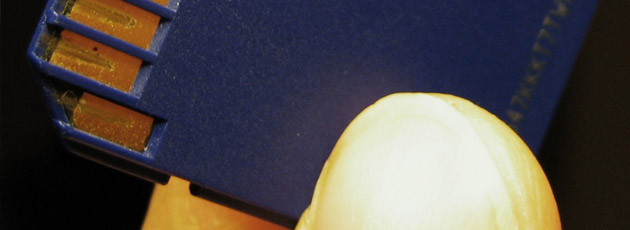
Situation:
2GB SD card no longer registers as ‘visible’ to the digital camera and is barely readable within the Vista OS.
Potential Loss:
~1.5GB worth of photos and videos of Hong Kong.