*** Draft / In-Progress; last updated 9/9/2026, 10:51pm ~ There is a lot to cover, so, check back for updates or e-mail with any questions ***

Log in now *instantly* via Windows95 (v86) emulation on a web browser: www.finalkeyframe.com
Download the client and run locally on Windows 3.x through Windows 11:
Download for 16/32-bit Windows systems ~
Download for 64-bit Modern Windows systems (uses otvdm for a seamless, native experience) ~
The 16-bit AOL 2.5 client (WAOL.EXE) is a surprisingly elegant and remarkably disciplined architecture. Most of the questions I encounter in life are un-Googleable. As such, I find myself in a constant state of semi-frustration and endless curiosity. The AOL 2.5 client is rich with history, depth and intense engineering. This is a lengthy article on everything the client tells us, and the details of the discoveries made in the process of tricking the client to get back “online” after 30+ years.
The 16-bit client will work on any computer with Internet access, Windows 3.x through 11 are supported. 16 and 32-bit clients run WAOL.EXE natively. For modern 64-bit systems, you’ll need to use otvdm which is included as a subfolder, simply drag WAOL.EXE to otvdm.exe and it’ll fire right up.
So, why AOL 2.5? There are already a few AOL/AIM projects that have somewhat successfully reanimated the clients. The other projects I’ve encountered are Project P3OL and Dialtone Console. Both of these projects are focused on AOL 3.0+. P3OL is more focused on discovering the deep inner workings of the client and server whereas Dialtone Console appears to be more vibe-coded and designed to simply showcase that chat and IM work with Grok AI. I find that these projects are missing the experience of the discovery and limitations of being online in 1995; the feeling of the intrigue that the time held.
In order to achieve that experience, not only does the client itself need to be reverse-engineered, but a somewhat-believable social environment needs to exist to complete that museum-level illusion. As such, I’ve carefully implemented LLM elements to fill-out the gaps, not be the main show.
AOL 2.5 is unique in that it presents itself as a transition platform: it pushed the boundaries of what was possible at the time and the unique visual aesthetic has a character that is nowhere to be found thereafter. Upon launching the AOL 2.5 client, we have the ability to connect via TCP/IP, bypassing the actual hardware modem stuff altogether.

So, what does the client actually *do* when that `Sign On` button is clicked?
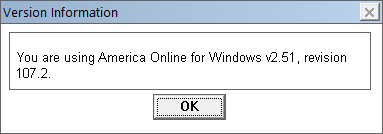
The client fires off an INIT packet to the server, telling it quite a surprising information about the client and system: whether you’re using Windows, DOS, Apple II, etc., RAM on the machine, CPU class (e.g., 486), color palette, and critically: the client revision number: in this case, 107.2 (0x6b02), among other things. (What’s that, you ask? Apple II? Yes indeed, AOL made a client for Apple II in 1989. We’ll get to that later…) We can check this independently by going to the Help menu > About > and then pressing Control + R to show the detailed Version Information (a fun trick I learned from reading one of Tom Lichty’s (“MajorTom”) AOL books:

Thereafter, after a fair bit of back-and-forth, the real magic transpires:
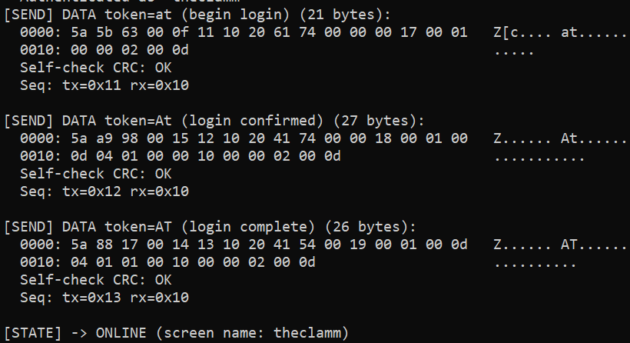
The final ‘AT’ is the universal delivery token. And with that — the AOL 2.5 client believes it is “online.” This was discovered from real archived FDO atom debugger traces that someone uploaded to archive.org. They were done on later versions of AOL, but it was similar enough to get it into the ballpark. The atom parser is ATOM.AOL, the first in the token dispatch chain…

The Token Dispatch Chain. Click here to see the full AOL 2.5 Client Architecture Map.
The “token dispatch chain” is a remarkably elegant way that the software hands off tokens throughout the system. Every time that the software receives a token + data from the server, it sends it through this “chain” of tools. If the token is not recognized, then it “drops” the token off to the next tool until one of them does. If none of the tools recognize the token, it gets silently dropped so that the client does not crash whenever a new feature is released — at least, that’s what the intended behavior seems to indicate. Strikes me as quite an efficient and future-proof design.
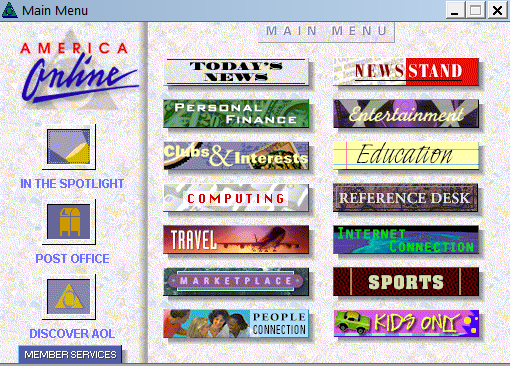
Once the client thinks it is “online,” it will readily display certain embedded artifacts like the Main Menu screen. All of these graphics are embedded into the client itself in the MAIN.IDX file.
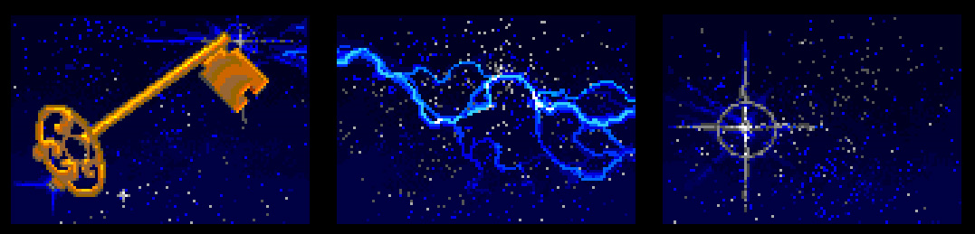
Artwork by Jeff Wright; Link to the original article on carving the art from AOL 2.0/2.5 MAIN.IDX
Part of the magic of going online in the 90’s was the clear gulf between offline and online. Being online was rare, expensive and fragile. The slightest disturbance would kick you offline. The anticipation of dialing up was a palpable experience.
The AOL 2.5 client fires several scripts once it is “online.” The first is that it “enables” all of the toolbar icons. I was surprised to learn that the enable/disable functionality is a clever trick engineered by the developers. I always assumed that it was just separate artwork — but no, any image or button has the ability to be “disabled” on a whim. I tested this out by disabling two Main Menu buttons that I knew I wouldn’t try and make work: Sports and Kid’s Only, just to see if it would work and sure enough… it does!

None of the Main Menu buttons were ever disabled in the original client. Speaking of the Main Menu: most of the buttons request a specific GID (Global ID, per AOL’s own internal documentation) such as <32-2574> (Computing) which expect the AOL server to send back the form data. Every department button is preceded by sm_enter_paid, and free areas (such as Member Services) use sm_enter_free to notify AOL to not bill you for that time/area.
Oddly enough, the Computing GID is one of the forms that came actually comes pre-baked in the MAIN.IDX database (originally authored and embedded as far back as AOL 1.5).

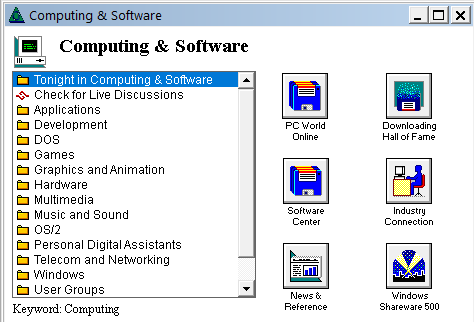
I haven’t been able to figure out why AOL happened to bake in only this one form and leave out all the others. Looking into the 1.0 and 1.5 versions, the same form was embedded in 1.5 but not 1.0. So, they might’ve just included it to save on bandwidth or… just odd mismanagement between differernt teams.
That “PC World Online” button actually tries to reach out to the server to download specific PC World icon art (a GIF or Johnson-Grace *.ART graphic style, presumably) that does not come embedded in the local software. Once I figured that out, I just swapped it with the same floppy disk icon and the form could be loaded up by invoking it; it still requires the server to return the correct form number back in order to load. The only reason I knew about the PC World icon is because I saw screenshots of it in promotional materials.
This time-capsule, perfectly embedded artifact is a handy template for seeing out other forms are laid out.
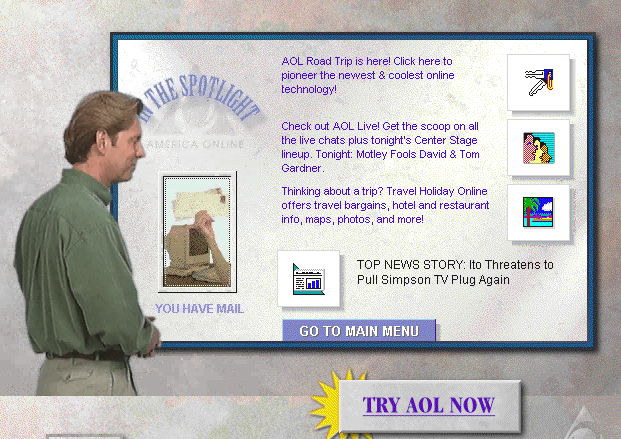
A lot of this project I was able to recreate because I remember it very well. For example, I recall precisely that the “In the Spotlight” form would appear alongside the Main Menu once the client successfully signed on.
Taking a look at the Tour AOL CD 2.5, the narrator explains exactly how the form works:
Before I bought this CD, though I found an excellent VHS video called “Introduction to the Internet” by Diamond Entertainment Corp.
This video was helpful in finding the correct form for AOL 2.5. I remember what it looked like if I could see it, but I couldn’t remember exactly what the form said and I needed to find some kind of unique string that I could grep/search for. The video confirmed the text in the lower left under the mail icon “NO MAIL” and “YOU HAVE MAIL” if, well, you actually have mail.
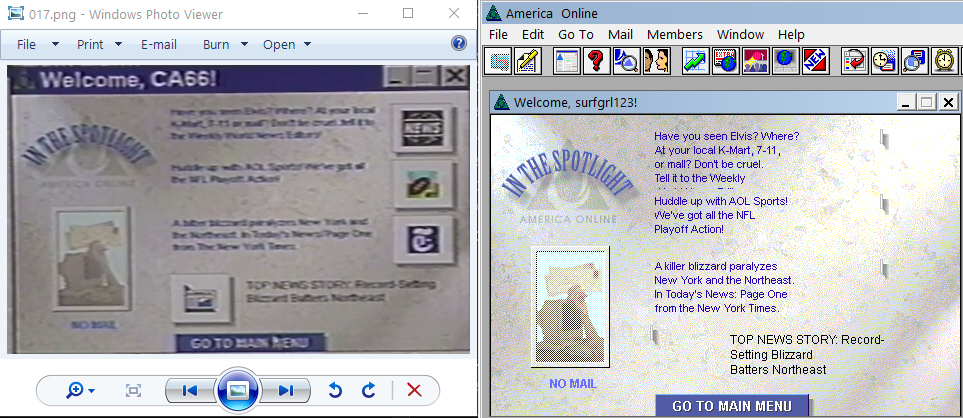
Actual form on the left from the 90’s video, resurrected form on the right before I figured out how to get buttons wired in. I found the full, correct form in MAIN.IDX — it’s GID <32-2568> which auto-opens the Main Menu (GID <32-2569>) as well. I recall this as the correct behavior from 1995.
The engineers often leave behind things from the old versions. So, the old 1.0/1.5 sign-on form is still there in 2.0/2.5.
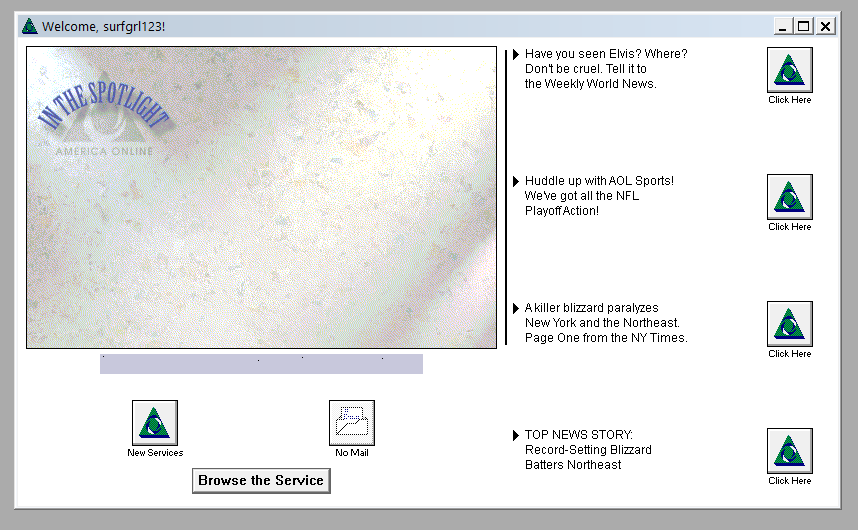
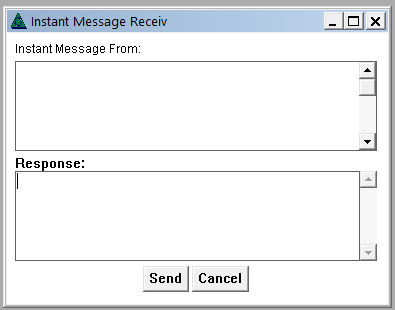
A lot of forms are embedded in the client, including the Buddy List — which was still in beta at the time and not officially debuted until version 3.0. Instant Messages, e-mail forms, and the chatrooms, including all the tiny add-on windows like “List People” and the “Locate Member” and “Get a Member’s Profile” forms. All of those have been wired up to their original intended behavior. So, if you’re inclined, you can actually go to the Members menu and select Get a Member’s Profile.
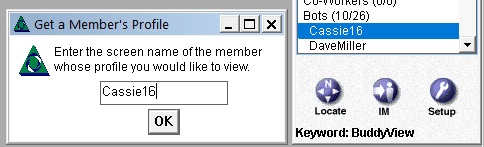
The Buddy List first appeared in AOL 2.5. It isn’t there in 2.0 or earlier, I checked. There are actually a couple extra buttons that came embedded that don’t show up on the completed form:


The magenta background color is the designated “transparency color index” (mat_art_transparent). So, when the buttons get applied on the form, they don’t interrupt the background art.
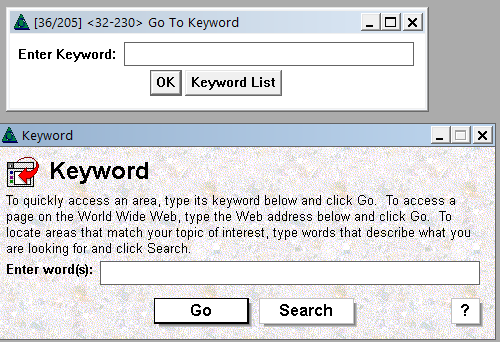
The Buddy Chat button was a standard button that appeared in later instances of the Buddy List. Even though the button isn’t wired up in AOL 2.5’s IDB/IDX, the tooltip was still there, and it reads “Invite Others to a Private Chat or Favorite Place.” A close look at the IDs shows that the button was planned but not wired up to completion until AOL 3.0. The only way to access the Buddy List in AOL 2.5 to was manually navigate to Keyword: Buddy View. Indeed, if you close it and want to re-open it, you can still access it using this native path.
The original Buddy List shipped with these default categories: Buddies, Family, Co-Workers. I left those there for authenticity. You may click Setup and add/remove Buddies and they will appear or disappear under the designated Buddies section. I did not wire up functionality for Family or Co-Workers.
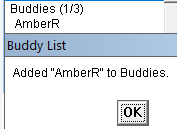
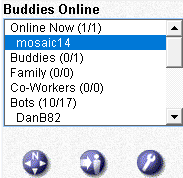
I added in “Online Now” and “Bots” so as to draw a clear distinction between real users and the Bots. The Bots are simply filler so that the exhibit is a functional time capsule/museum of sorts. If you log on at 3am and nobody else is online, you can still get a mostly-realistic 1995 AOL experience.
Any actual real user, signed in via the website or local hardware will appear in your Buddy List automatically under the Online Now section. I figured this was really obvious, but seeing people use it and the questions I receive, it apparently isn’t that clear.
Before getting to the chatrooms, let’s talk about the integrated web browser for a bit. I barely remember the browser from 1995 because my 2400 baud modem was so slow that clicking into anything took absolutely forever. So, I was very cautious to not click around very much. I read about it a bit in some of the period-books so you can see what it used to look like:
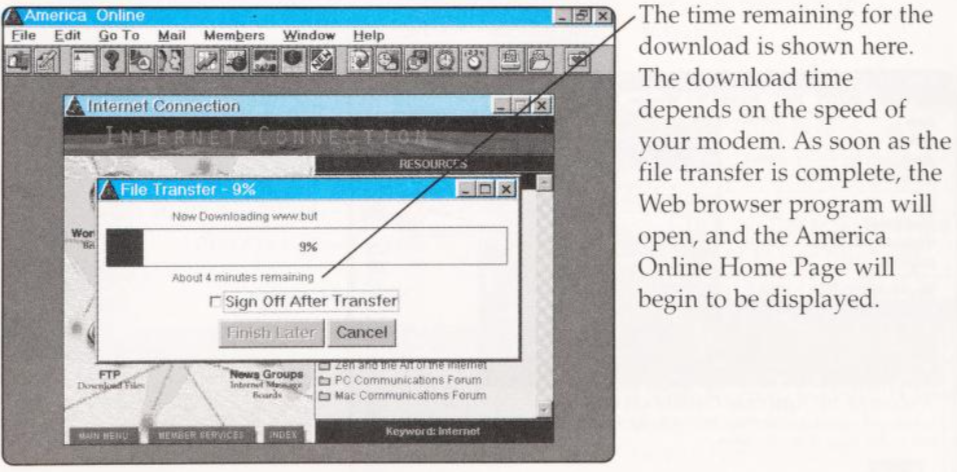
Cruising America Online 2.5, Beatty, Gardner, Sauer; Page 257.
The web browser is about ~750KB. That 4 minutes remaining estimate was probably a 28.8 modem. For me, on my 2400bps modem would’ve been 50+ minutes, I’m sure. Since the web browser was so huge, it couldn’t fit on a single floppy disk along with the rest of the AOL 2.5 software. It did, however, come bundled with the CD version of AOL 2.5. Fortuitous, since that is how I was able to resurrect the browser for your 1995 experience. If the CD hadn’t included it, there would be no way to obtain the browser since that file you see in the screenshot above (‘www.but‘) does not appear to be archived anywhere online. But, it doesn’t matter since the files that were inside that archive are already known. If you wanted to recreate that experience perfectly, you could package them back up as a www.but file and then serve it over the ‘Tool on Demand’ downloading mechanism managed (mostly) by the CODEMAN.AOL module.
The *.BUT files are an odd archive format supported by XFER.AOL. So, you’d click the browser and it would begin downloading the software and self-extract it. The resulting files are: IWENG.DLL and WWW.AOL.
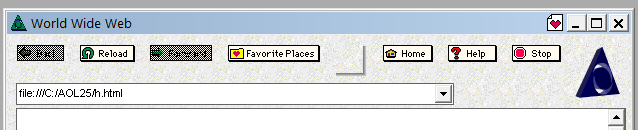
When I first got the browser to appear on the screen, the toolbar was lookin’ rough.
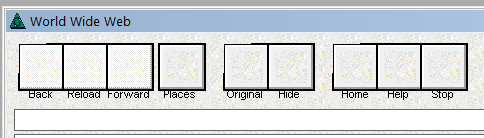
The browser is essentially a re-branded Internetworks web browser from BookLink Technologies/NaviSoft, Inc. So, the “Original” and “Hide” buttons are actually a toggle, and being shown here in this broken state for features that were hidden. AOL just slapped their own window over the rendering engine
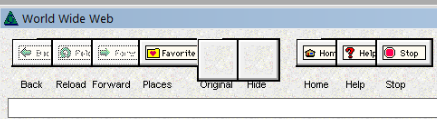
The buttons displayed in a rather odd way by default, and I have a theory as to why. AOL seems to have been iterating rapidly on the browser front during this time. Looking closely at marketing materials, they have different screenshots of the browser showing different button layouts.
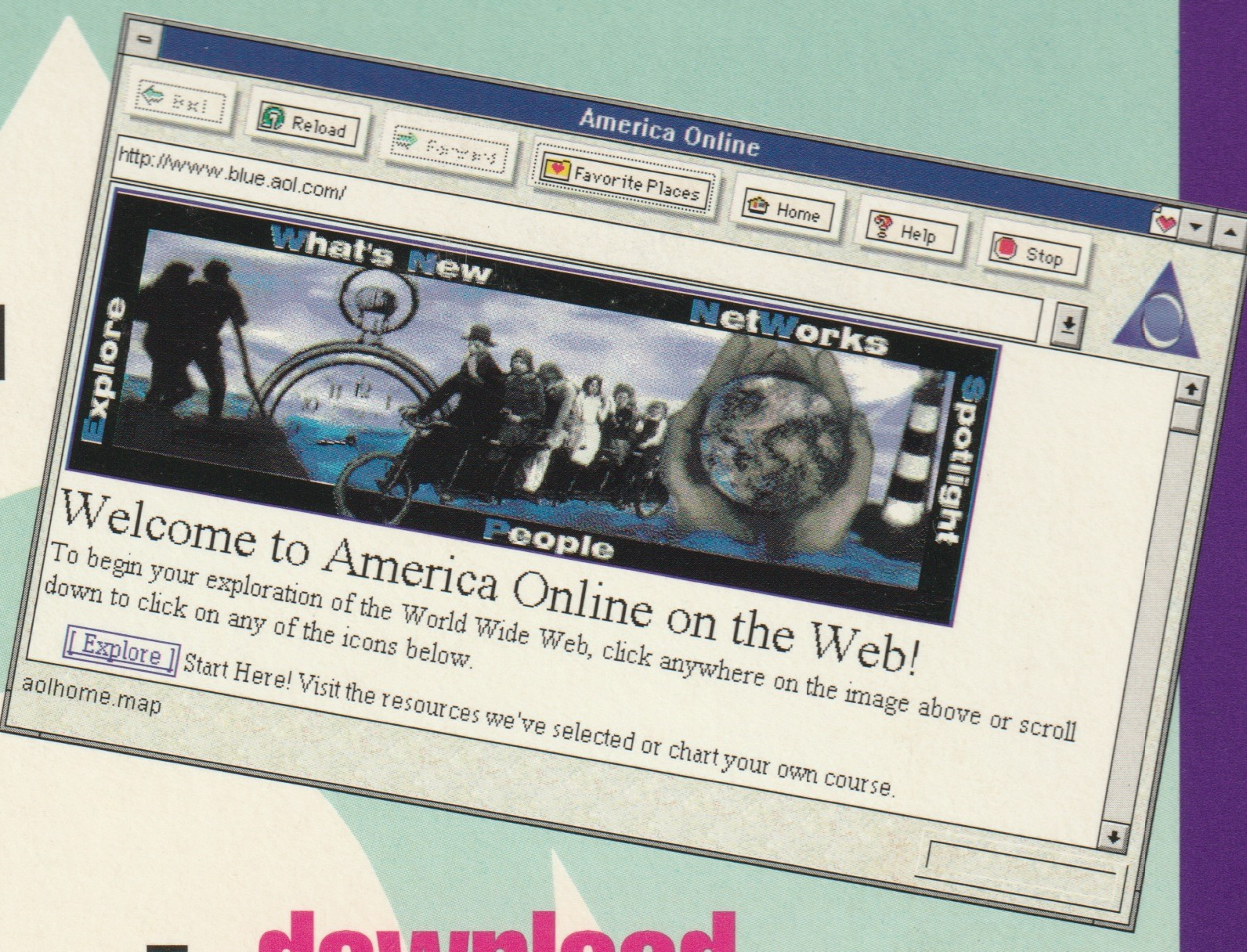
AOL 2.5 Floppy Mailer (P00010), “You Have The Disk — So, Why Not Sign On?”
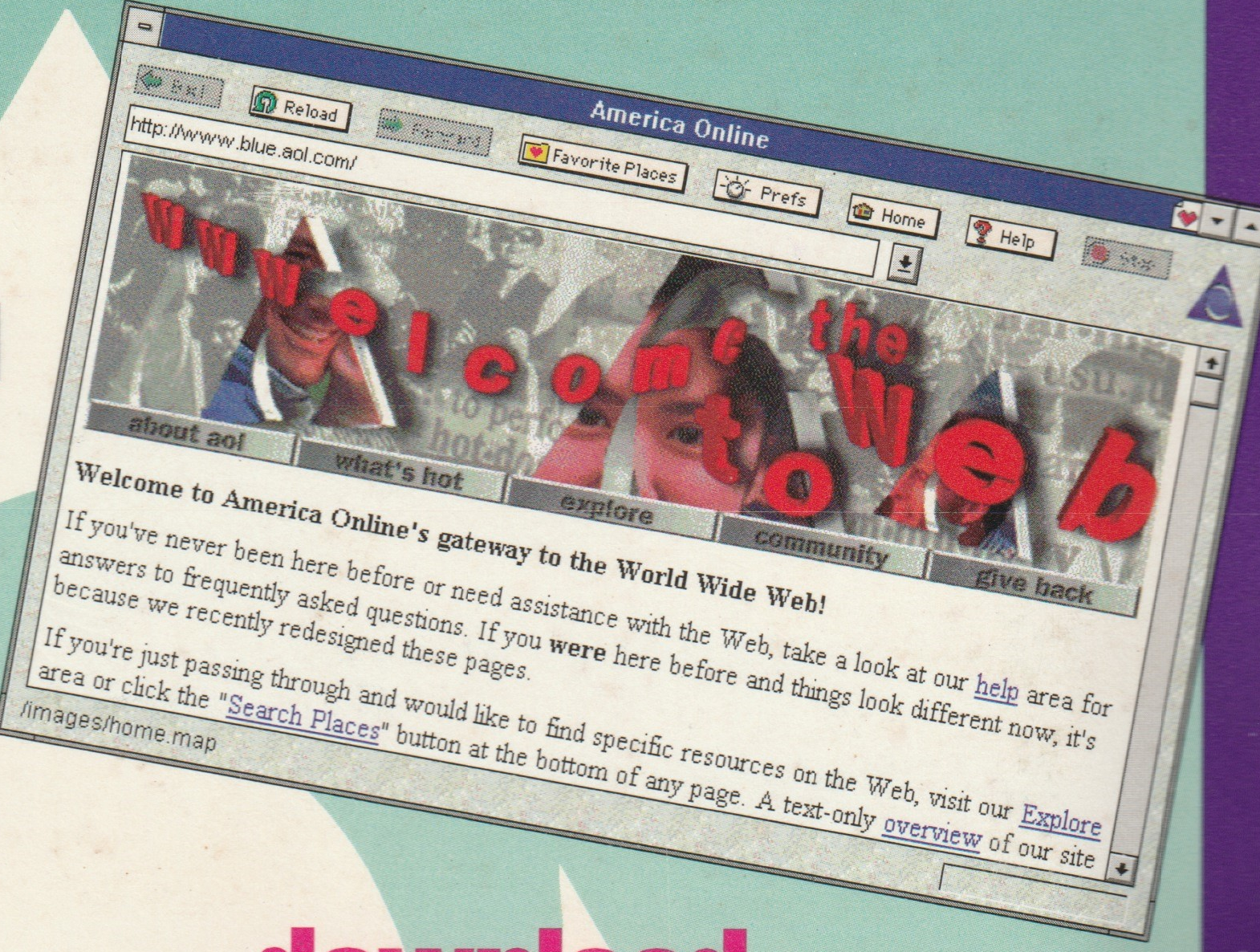
AOL 2.5 Floppy Mailer (P00010), “You Have The Disk — So, Why Not Sign On?” (Note the added “Prefs” button.)
Both of these advertisements are on identical marketing materials with the same floppy disk and everything. So, it appears that the browser that comes pre-bundled with the CD version arrives in a half-baked form that needs some manual modifications to set the button type. There was no easy way to just remove the “extra” button space that was unaccounted for.
Digging through the embedded art, I tried to find the “Prefs” button art but it was nowhere to be found. It does not come on the disk. And, learning later about the Poison Tree in AOL’s documentation, it is pretty clear that this was intentional. AOL intended for the software to force an update and fetch the latest version.
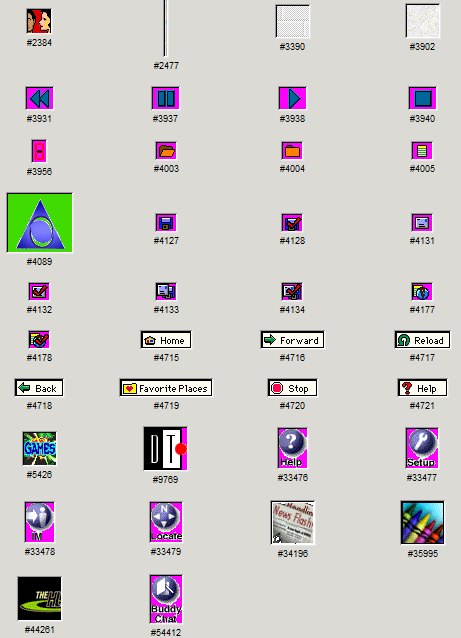
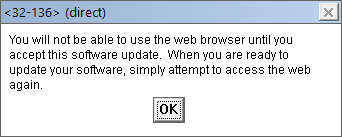
You can see all the other browser button art is clustered in one area neatly, but Prefs was clearly something that was added on as a download after-the-fact. I even found the proof of it — if you had tried to force the browser to open without completing the required download, you’d have gotten this message:
Bonus fun fact: The browser has a nifty feature for low-bandwidth 2400bps owners like myself: “Don’t show graphics at 2400 bps”
Unable to find the real art anywhere, I decided to simply create the ‘Prefs’ button from scratch to match the original text/font style. I decided not to try and match the icon since I felt that would just be a tad too inauthentic since I really don’t know how those tiny icons were made. I matched it up manually and it ended up being Arial font, size 8. No anti-aliasing, obvi.

So, with a completely resurrected and working browser, I felt it prudent to take it to the next level ~ wiring it up to the Wayback Machine so that it could serve up period-accurate-ish websites.
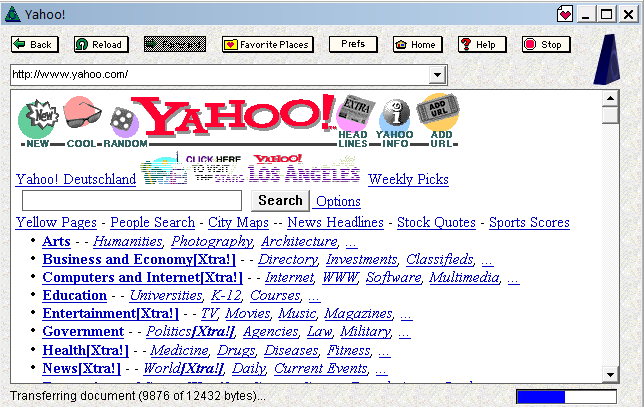
As far as AOL 2.5 is concerned, it is faithfully loading up your webpage exactly the same way it would’ve in 1995. The data gets piped through a tunnel like this: P3 packet framing > yc/yd tokens > Van Jacobson header compression (40-byte headers down to just 4) > TCP/IP > HTTP. This client isn’t faking anything — the server is just sending back data from the Wayback Machine (some of which I pre-cache so that the server doesn’t slam the non-profit) instead of what would’ve been the real Internet over your modem back in the day.
Notice in that screenshot above the loading bar and “Transferring document” footer? That’s the real IWENG.DLL engine rendering the HTML, and the AOLSOCK.AOL tool has a “FUSION Network Software” engine from 1992 because Windows 3.1 didn’t have TCP/IP capability built-in. It wasn’t until Windows 95 that that changed. It is cleverly designed to handle networking and pipe all the data through AOL’s proprietary P3 packet framing protocol.
The non-profit Internet Archive didn’t begin archiving/scraping websites until 1996. And, even so, a lot of websites aren’t captured until later. So, you may find websites from 2008 or other strange years looking out of place here and there. Not my fault — I specifically set the WAYBACK_YEAR to 1995, but AOL 2.5 predates the entire archive… so, you get what you get, and that’s that.
Chatrooms
Getting back to the chatrooms briefly, I was very surprised to find GID <32-105>. I combed through every single locally cached GID embedded in the software and in so doing, I found this gem:
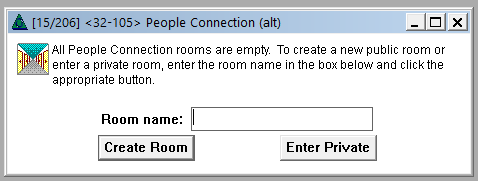
This form is server-invoked. Meaning, while the form exists locally, only the server can cause it to open. Since AOL chatrooms were always full, it surprises me a bit that the engineers envisioned a time in which they’d need to politely inform a user that all chatrooms are empty. Given that this exact form is embedded in older AOL versions, all the way back to v1.0 in 1992, perhaps chatrooms were emptier in 1992 than in 1995 … I am not sure.
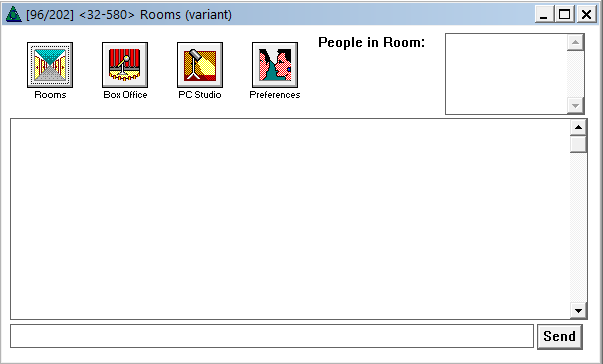
Even though I spent a lot of time in chatrooms, mostly teaching myself how to program, I forgot what the form itself looked like. This created a bit of a puzzle for me because there are several chatroom form variants embedded in the MAIN.IDX.
For example, here’s <32-580> … is this the one? I don’t remember the “Box Office” or “PC Studio” buttons:
Internet Connection. On the top, is a real screenshot from the era, and on the bottom is my work-in-progress approximation, lining up the artwork icons. The magenta is the transparency I hadn’t yet “enabled.”
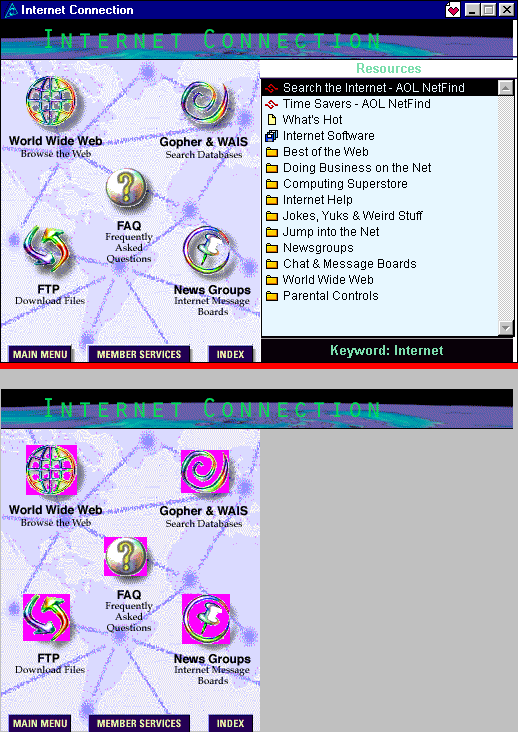
Notice the drop shadows and the text? Those are actually *part* of the background art itself. Here is the background art itself, pulled directly from an actually used, donated MAIN.IDX from the time:
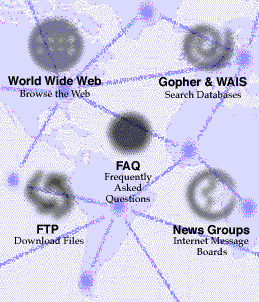
Pre-rendered drop-shadows and text!
x
x
x

x
x
x
x
xc
x
x
x
x
x
x
Thank you so much for getting AOL 2.5 working. It was my favorite version!