Before the era of unlimited everything and the infinite scroll, it took considerable effort to get online. Being online was expensive — measured in only a few “free” hours available per month — and hogged the all-important phone line. The experience of the world around you and the possibilities that could be were very different before and after being able to connect. In the quiet moments just before attempting to sign on, all of the knowledge available to you felt limited, static, and simple. The telephone (touchtone or rotary), postal mail, books, television, CD, cassette and VHS tapes.
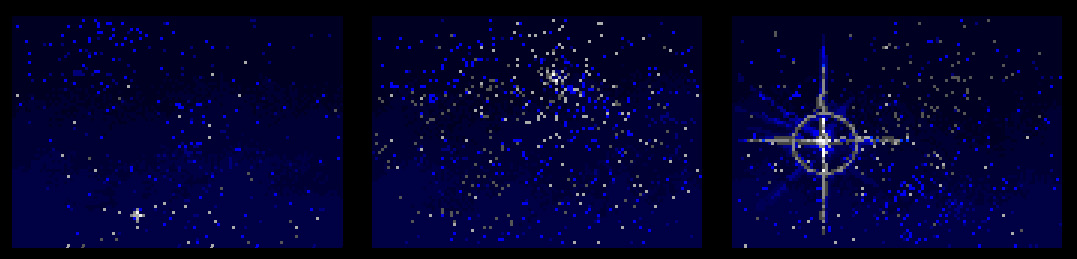
The offline quiet expanse of the early 1990’s starry night sky.
Once online, information was plentiful and captivating. The clock was ticking as there was only so much time to be spent online before the phone line would be interrupted, or the expensive minutes would run out on the service. It was a special place to be and felt very different than the Internet of today.
***
Within the AOL 2.5 system data, are well over 100 embedded *.gif images inside of various system files.
I set out to attempt to extract out all of the files so that I could locate the original AOL sign-on dramatic lightning bolt, starry night sky and golden key which was deprecated with the release of AOL 3.0 and above. I hadn’t seen those images for thirty years. Since we can no longer sign-on to the AOL service, there is no simple and direct way to display these images and see them again since they are embedded somewhere in the system files on the floppy disk.
I set out by manually carving out each GIF image I could find, starting with \AOLDIAG\AOLDIAG.DLL. Inside that file are three GIF files; here’s an example of one that I carved out:
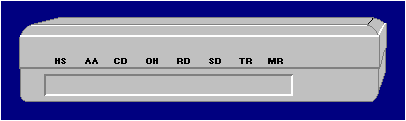
Good lookin’ modem, but not what I was looking for. Manually carving files is a slow process. One advantage is that by going through the hex, you can be absolutely certain that you’ve analyzed the data to the extent it can be analyzed.
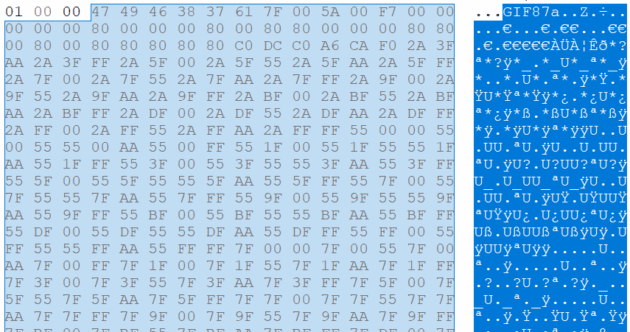
However, as I progressed, I saw that there were just too many embedded GIFs and it was going to take an incredibly long time to manually carve them all. So, as a solution, I set out to use the command-line tool Foremost in a Linux Virtual Machine to attempt to carve them out manually. By default, Foremost doesn’t recursively scan subfolders — so, my first pass failed to find the Golden Key. I then combined the find command and piped it into the foremost command so that it would recursively search all files, as follows:
find . -type f -print0 | xargs -0 foremost -t gif -o ~/Desktop/extracted_gifs -i
Technical time: If you use the above command, make sure that you’re first inside of the folder you wish to carve. The period immediately after the find command signifies the current directory. -type f: Tells find to only look for files and not directories. -print0 prints the filenames separated by null characters so that in case a space is in a filename (which it won’t be with old software like AOL 2.5, but this is wise to bear in mind) it won’t make a new lines/enter. The pipe (|) takes the output of the find command and sends it as input to the next command.
xargs -0 takes the null-separated filenames from find and passes them as “arguments” to foremost. The -0 tells xargs to expect null-separated input. -t gif just means setting the type to GIF and the -o flag is merely the output directory. The -i at the end is for input which we’re getting from the find command. Quite the workaround for the lack of subfolder recursion built-in to Foremost!
Another workaround could be just to zip up the contents of all folders and then unzip them setting flags to ignore folders/directory tree and then execute Foremost on the “flattened” directory. In any event . . .
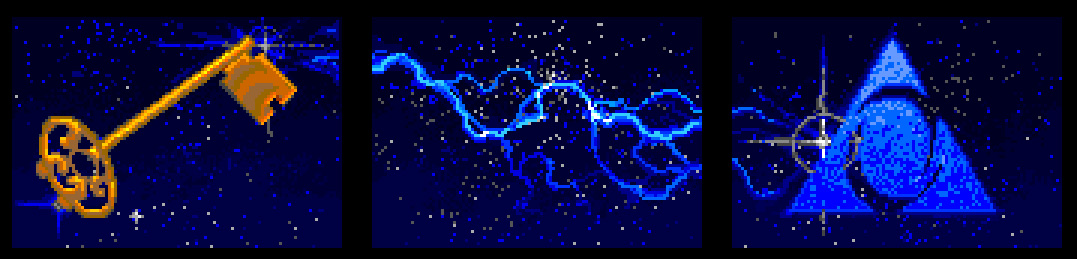
AOL 2.5 – The Key and lightning dial-up connection screen; assembled with Photoshop and scaled up 300%.
The key, lightning bolt and starry night sky images are located within the IDB\MAIN.IDX file at offsets: 445762, 447845, 450779, 453176, and 456257. The original size of each image is 110×77, incredibly small by today’s standards but when viewed on a CRT display at 640×480, I recall it looking quite large.
It certainly seems like a fair bit of work to reconstruct these images and one might wonder: why bother? Why not just find them online somewhere with Google Images? Well, turns out — it is quite difficult to find. Try for yourself. It seemed to me that they were evidently lost to time.
By luck, I finally found the author who made the iconic images, Jeff Wright. He had this to say about the images: “I remember thinking, yes, this stuff is technical, and it’s a connection, and it’s a network, and we could show a lot of things, but what it is, is COOL. Nobody knew what email was, or chat, or the Internet, or any of it. It’s a frontier. It’s exciting. It’s a big deal!”; “Those images were all done freehand pixel-by-pixel[.]”
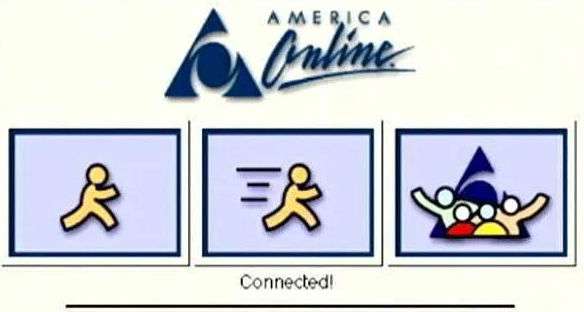
Most of what I found online only seemed to make reference to AOL 3.0 and above. AOL 3.0+ had a UI overhaul, settling on a much flatter, less dramatic cartoon-like style:
I find it vital to keep these elements of history accessible for consideration. It’s important to remember and teach about a time when there seemed to be a little more curiosity, more focus and less apathy.
