
All of my years of experience with proxies doesn’t much help those who want the benefits of a proxy, yet don’t have the technical wherewithal to accomplish it. As such, I set out in search of a sure thing, a foolproof proxy that anyone could use with minimal setup. I was surprised to find Vidalia.
Vidalia has proven by far the simplest (free) proxy solution. By GUI-ing Tor & combining a Torbutton for Firefox, it couldn’t be simpler. Here’s how to anonymize your Internet activity in just a few minutes.
– Go to www.whatismyip.com and take note of your IP address.
– Go to the download page.
– Select the Installation Bundle for Windows.
– Install with default options. Install the Torbutton extension for Firefox. Restart Firefox.
– Let Vidalia connect — it should connect in about 10-15 seconds.
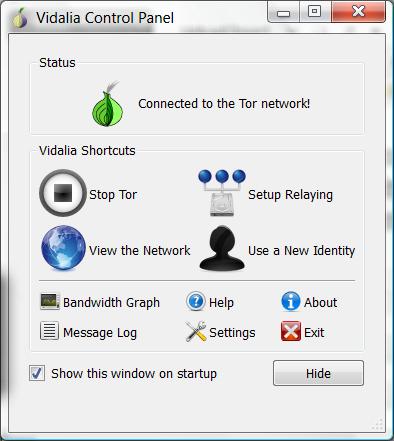
– In Firefox, go to View > Toolbars > Customize; find the Torbutton icon, click and drag it somewhere to the right or left of the address bar. Single click it to enable Tor. At the bottom right it’ll say “Tor Enabled” in green.
– Go to www.whatismyip.com again to verify that you are indeed browsing via another IP address. All done.
In my experience, performance has been acceptable — not blazing fast, but not entirely sluggish either. I’ve read that it is horrendously slow for some, your experience may vary.
I would like to show my appreciation to the writer for rescuing me from this particular condition. Right after browsing through the the net and obtaining thoughts which are not beneficial, I assumed my life was done. Being alive without the solutions to the problems you have solved by way of your blog post is a serious case, as well as the kind that would have negatively damaged my career if I hadn’t encountered the website. Your actual ability and kindness in taking care of all areas was helpful. I’m not sure what I would have done if I had not discovered such a point like this. It’s possible to at this time look forward to my future. Thanks so much for your impressive and sensible guide. I will not hesitate to refer your web site to any individual who desires support about this issue.